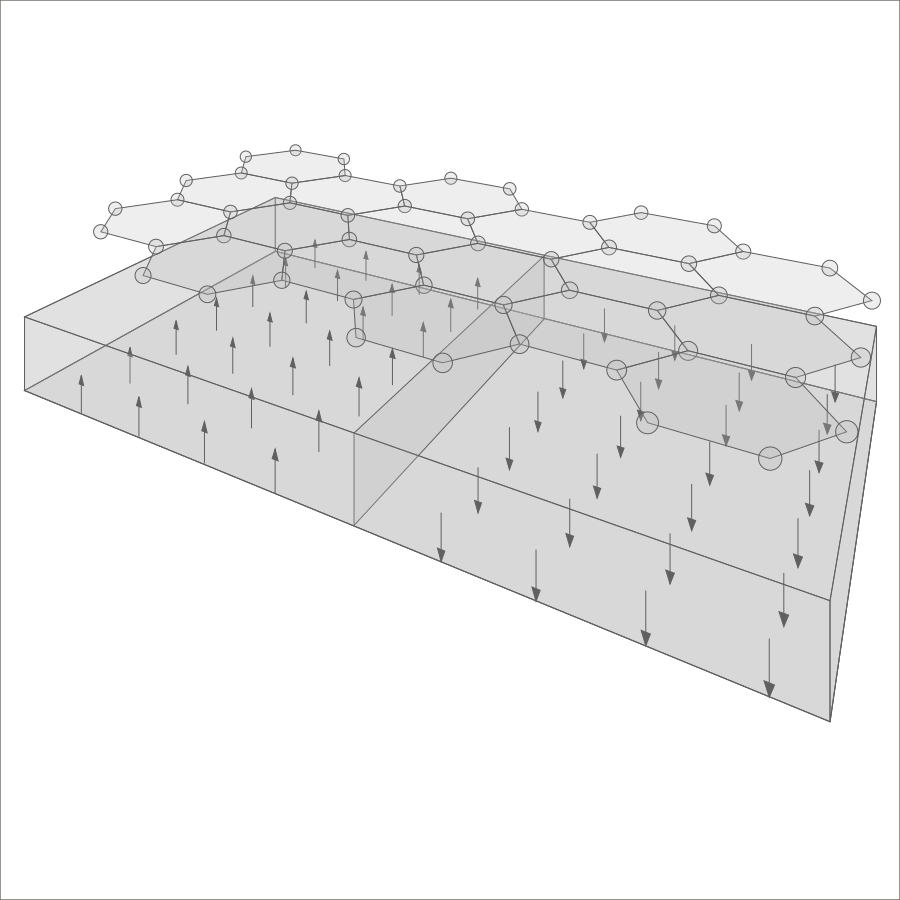
Graphene on a ferromagnetic substrate

A 3D schematic with the model it was made from. Open the model in the editor and make the figure your own in a few minutes.

Make this figure yours

  1. Download the model graphene-on-substrate.xml
  2. Open the editor in a new tab, no account needed
  3. In the editor, choose Import Model and select graphene-on-substrate.xml.

Things to try

  • Turn the camera to see the device from another angle.
  • Move the viewpoint to see the device from a different perspective.
  • Adjust the positions of the arrows – choose 'Select' and 'Normal arrow' from dropdowns in the menu bar, click on any arrow, and edit the values in boxes.
  • Resize the substrate – select 'Resize' and 'Cuboid'; click once inside the base next to the dragged corner, move the mouse, and click to finish.
  • Export the result as a PNG image.

What the figure shows

  • Graphene layer – atoms arranged in hexagonal cells on a horizontal plane.
  • Substrate – a ferromagnetic substrate beneath the layer of graphene.
  • Domain wall – a rectangle representing a sharp domain wall divides the substrate into two magnetic domains.
  • Arrows – magnetic moment arrows showing the magnetisation of the domains.
Files

graphene-on-substrate.xml The model. Open it in the editor, or read and change it with your own tools.
graphene-on-substrate.png The image above, exported from the editor.
graphene-on-substrate.svg A vector version for Inkscape, Illustrator and other vector editors. Prototype SVG export is planned for the Prototype plan.
Show the first lines of the model (full file: 926 lines)
<?xml version="1.0"?>
<model>
  <metadata>
    <format id="superlattix" version_major="2" version_minor="1" version_patch="9"/>
    <schema href="https://superlattix.com/schema/v2.1.xsd"/>
    <created at="2026-10-12T13:50:59Z" tool="superlattix-editor" tool_version="0.6.31"/>
  </metadata>
  <element variety="hexagon" uid="" specifier="0">
    <pos x="99.98323" y="200" z="173.39969"/>
    <start x="1" y="0" z="-0.00015737933"/>
    <end x="0" y="0" z="0"/>
    <dir x="0" y="1" z="0"/>
    <size l="99.961105" w="0" h="0"/>
  </element>
  <element variety="hexagon" uid="" specifier="0">
    <pos x="100.01814" y="200" z="346.62415"/>
    <start x="0.9999997" y="0" z="-0.000796249"/>
    <end x="0" y="0" z="0"/>
    <dir x="0" y="1" z="0"/>
    <size l="99.87932" w="0" h="0"/>
  </element>
  <element variety="hexagon" uid="" specifier="0">
    <pos x="100.196945" y="200" z="519.7909"/>
    <start x="-0.500627" y="0" z="0.8656631"/>
    <end x="0" y="0" z="0"/>
  <!-- … 901 more lines; elements are listed in drawing order -->

View the full file. The format is described in the Superlattix schema.

More schematics to start from